 spitball
THE SHORT VERSION
What to take away
- A private notes app stores content on your device by default, needs no account, transcribes on the device and keeps analytics opt-in.
- Apps using Apple's speech recognition aren't automatically on-device; Apple says audio may be sent to Apple unless the app keeps it local.
- Under iCloud's default standard data protection, Notes and Voice Memos keys are held by Apple; Advanced Data Protection makes them end-to-end.
- Read a privacy policy for specifics: what's stored where, which analytics are sent, who the providers are and how to delete everything.
- Spitball is stored on your iPhone by default with no account; optional analytics start off, and TestFlight sends Apple's beta diagnostics.
WATCH THE IDEA
What makes a notes app private?
A short illustrated checklist: where notes live by default, whether you need an account, where audio is transcribed, what analytics are sent, who runs sync, what sharing sends, and whether you can export and delete. Spitball is stored on your iPhone by default.
Read the video transcript
This video has no narration. Pip, the Spitball paper-ball character, rests inside a lavender envelope sealed with a phone-and-lock sticker. Then a diagram shows a phone inside a glowing house holding notes, a microphone, a photo and a map pin, with separate switched paths to a cloud, a paper airplane, a small box and a feedback envelope. Captions: What makes a notes app private? Start with where your notes live. Ask whether you need an account, and where audio is transcribed. Check what analytics it collects, and whether it starts off. Sync, sharing and beta feedback are separate paths you control. Make sure you can export your notes and delete them. Private by default still means reading the privacy policy.
A private notes app keeps your content on your device unless you choose to sync, doesn't require an account, transcribes audio on the device, makes analytics opt-in and clearly limited, and lets you export and delete your data. The seven questions below let you check any notes or voice app in a few minutes.
This checklist is for anyone who puts real thoughts into their phone: plans, worries, half-formed ideas, notes about other people. It explains what each question means, how to find the answer in a privacy policy or App Store label, and what Apple's own apps do. Spitball is our app, so at the end we answer the checklist for Spitball honestly, including the parts that do send data.
Apple details come from Apple Support's iCloud data security overview, Apple's Siri, Dictation & Privacy page and Apple's App Store privacy details page for developers, all checked October 20, 2026. Spitball details come from Spitball's published privacy policy and support pages.
What does "private" actually mean for a notes app?
A private notes app limits who can see your content: the company that makes it, the cloud services it uses, and the people and apps you share with. Privacy is about where your words go and who controls them. Security, like encryption and passcodes, is how those places are protected.
Most notes apps aren't simply "private" or "not private". They make a series of choices, and each one either keeps your content close or sends it somewhere. A useful way to think about it is as a set of paths out of your phone:
- Storage: does your content live on the phone, on the company's servers, or both?
- Processing: is audio transcribed, or text analyzed, on the device or on a server?
- Telemetry: what does the app report about how you use it?
- Sync and backup: who runs the cloud, and how is it encrypted?
- Sharing: what leaves when you tap Share?
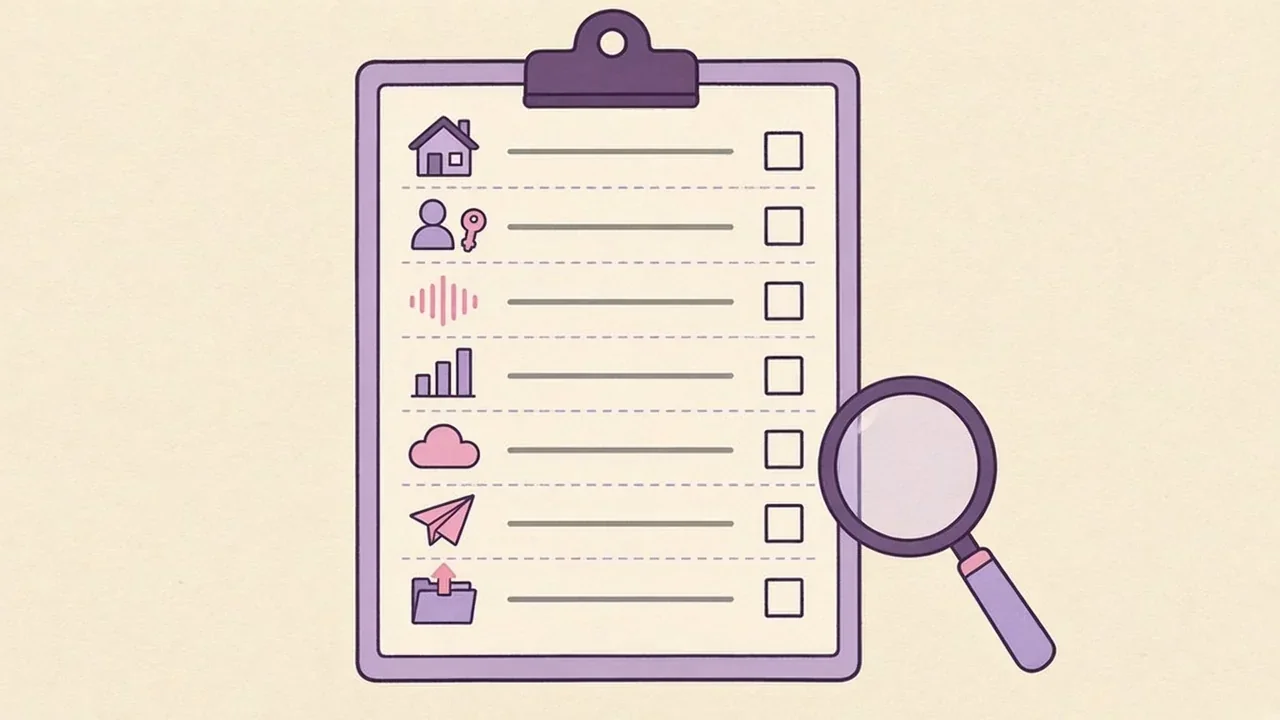
Each question below maps to one of those paths. An app doesn't need a perfect score to be right for you, but you should know its answers before you trust it with something personal.
1. Where is your content stored by default?
Look for an app that stores your notes on your iPhone by default and only sends them to the cloud when you turn that on. "By default" matters, because most people never change settings.
Many popular notes services are cloud-first: your notes live on the company's servers, and the phone shows a copy. That's convenient for working across devices, but it means a company holds your content, and its policies, staff access rules and breach exposure all apply. A local-first app keeps the primary copy on your device.
What to look for in a privacy policy: a plain statement about where content is stored, and whether the company has a copy. Phrases like "we do not upload your library to our servers" are specific. "We take your privacy seriously" isn't.
One trade-off to accept: if a company never has your notes, it can't restore them for you. Local-first only works with a backup plan. Our guide to backing up voice notes and moving to a new iPhone covers that.
2. Do you need an account?
An app that works without an account collects less about you from the start. No email, no password and no profile means nothing to link your notes to.
Accounts aren't bad in themselves. They make sharing and web access possible. But each account is another record that can be breached or tied to your usage. If an app requires one, check what it asks for (email only, or name, phone and contacts) and whether you can delete the account and everything in it.
Apple's own apps use your Apple Account for iCloud features, and so do apps that sync through iCloud. That's different from creating a new account with a third-party company, because you're not handing your notes to another service.
3. Is audio transcribed on the device or in the cloud?
For voice notes, this is the biggest question. On-device transcription turns speech into text on your iPhone. Cloud transcription uploads the audio to a server to do it. Our comparisons of Otter vs a voice-notes app and AudioPen vs Whisper Memos vs Spitball quote what several apps say about where they process audio.
Don't assume "uses Apple's speech recognition" means on-device. Apple's privacy page says that "if you choose to allow apps to use Speech Recognition for transcription, the audio data to be transcribed may be sent to Apple" (Apple: Siri, Dictation & Privacy). Apps can require on-device processing, but they have to choose to, and support depends on the device and language.
What to look for: a policy that says transcription happens on your device and what happens when it can't. "No cloud fallback" is the strongest version. You can see which apps can use speech recognition in Settings > Privacy & Security > Speech Recognition. We explain the technical side in how on-device transcription works on iPhone.
4. What analytics does it collect, and does it start off?
The most private answer is "analytics start off, and when on, they exclude your content." Many apps report usage events; the questions are what's included, whether it's opt-in, and who receives it.
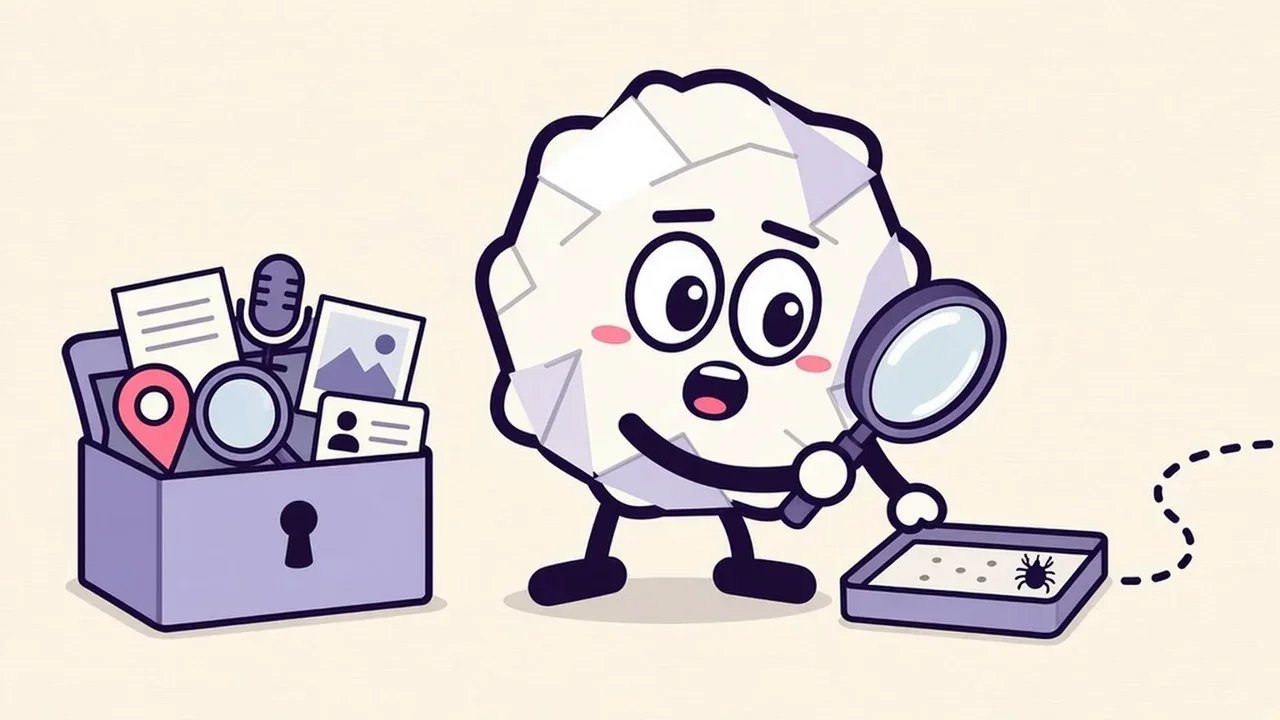
Apple's definition is a good benchmark. For App Store privacy labels, Apple says "'Collect' refers to transmitting data off the device in a way that allows you and/or your third-party partners to access it for a period longer than what is necessary to service the transmitted request in real time." Apple adds that developers must declare data their "third-party partners" collect, including "analytics tools, advertising networks, third-party SDKs, or other external vendors" (Apple Developer: App privacy details).
A good analytics section in a privacy policy names:
- whether analytics are on or off by default, and where to change it
- exactly which events are sent, and which content is excluded (note text, titles, audio, photos, locations, search terms)
- the analytics provider and where it processes data
- whether advertising identifiers or cross-app tracking are used
- what happens to events already sent if you turn it off
Also check for beta programs. Apps in Apple's TestFlight send beta diagnostics to the developer through Apple, separately from the app's own analytics.
5. How does sync work, and who runs it?
Sync means a copy of your notes lives in someone's cloud. The questions are whose cloud, whether you chose it, and how it's encrypted.
For iCloud, encryption depends on a setting most people never touch. Apple says "Standard data protection is the default setting for your account. Your iCloud data is encrypted, the encryption keys are secured in Apple data centers so we can help you with data recovery, and only certain data is end-to-end encrypted" (Apple: iCloud data security overview).
Apple's table shows what changes when you turn on Advanced Data Protection:
- Under standard data protection, 15 data categories are end-to-end encrypted. With Advanced Data Protection, Apple says the number "rises to 25 and includes your iCloud Backup, Photos, Notes, and more."
- Apple lists Notes, Voice Memos, iCloud Drive and iCloud Backup as encrypted in transit and on the server, with keys held by Apple, under standard protection, and as end-to-end encrypted, with keys on your trusted devices, under Advanced Data Protection.
- With Advanced Data Protection on, Apple can't help you recover that data if you lose access, so you'll need a recovery contact or recovery key.
For third-party apps, look for which cloud they use (their own servers, or iCloud with your Apple Account), whether sync is optional, and what happens to cloud copies when you turn sync off. Don't assume end-to-end encryption unless the app says so specifically.
6. What happens when you share?
Sharing sends exactly what you choose to the app or person you choose, and from that point their policies apply. A private app can't make a shared copy private.
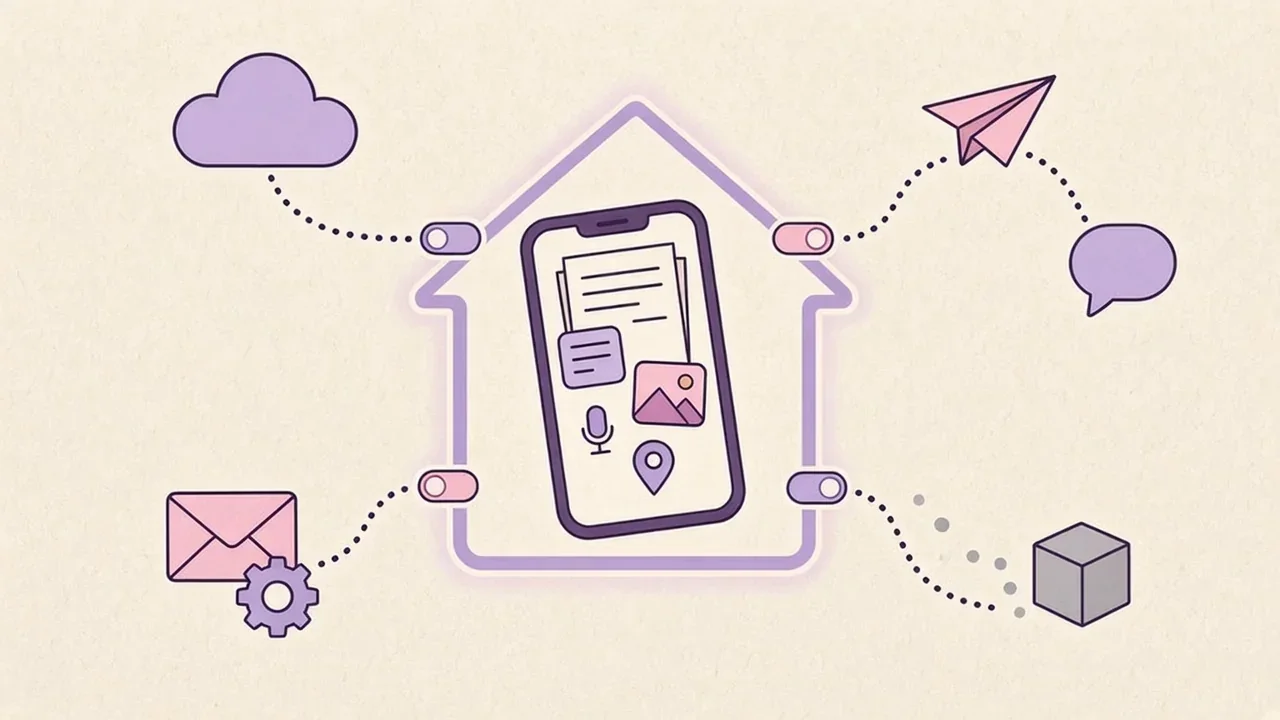
Before you share a note or recording, check three things:
- What's attached. A note can carry a photo, a location or the original audio. Remove anything the recipient doesn't need.
- Other people's information. If a recording includes someone else's voice, or a note names someone, check they're comfortable with it being shared.
- Where it lands. A group chat, a shared document or an email thread may be backed up, forwarded or synced in places you can't see.
A good privacy policy says plainly that shared content goes to the destination you pick, and that the app doesn't keep its own copy of what you send.
7. Can you export and delete everything?
You should be able to take your notes with you and remove them completely. An app that makes either hard is holding your data, whatever its policy says.
- Export: can you save notes and recordings in standard formats that open without the app? Text, images and common audio files are the most portable.
- Delete: does deleting a note remove it from every copy, including sync? And does turning off sync delete the cloud copy or leave it there?
- Account deletion: if there's an account, can you delete it, and does the policy say what happens to your data and to analytics already collected?
Apple's own apps show why the details matter. Voice Memos moves deleted recordings to a Recently Deleted folder for 30 days by default, so "deleted" isn't instant (Apple: Edit or delete a recording). That's a useful safety net, and also something to remember when you want a recording gone.
How do I read a privacy policy and App Store privacy label in five minutes?
Skim for specifics, not reassurance. A good policy answers the seven questions in plain words, and you can find each answer with a quick search.
- Open the App Store listing and scroll to App Privacy. Apple says "users can learn about some of the data types the app may collect, and whether that data is linked to them or used to track them." Note "some": labels are developer-reported summaries.
- Open the full privacy policy from the listing or the developer's website.
- Search the page for these words: "server", "upload", "account", "analytics", "third party", "advertising", "transcription", "iCloud", "delete" and "retain".
- Check the date. An old policy may not describe the current app.
- Look for a contact. A real email address for privacy requests is a good sign.
Apps in a TestFlight beta may not have an App Store listing or privacy label yet. Spitball is currently available only through TestFlight, so its privacy policy is the place to check.
How does Spitball answer the checklist?
Here are Spitball's answers, taken from its published privacy policy and support pages. Where something does send data, we've said so.
- Storage: stored on your iPhone by default. The policy says Spitball stores "your thoughts, transcripts, recordings and any photos or places you add in its local library on your iPhone" and doesn't upload your thought library to a Spitball server.
- Account: no Spitball account is needed.
- Transcription: on-device transcription with no cloud transcription fallback. If on-device transcription is unavailable, Spitball keeps the recording instead of uploading it. Transcription is English only, depends on your device and Apple's speech models, may need a model download first, and transcripts can contain errors.
- Analytics: optional analytics (off by default) send limited usage events to PostHog when turned on. The policy lists feature-use events, save and transcription outcomes, transcription-duration ranges, app version, timestamps and a random installation identifier, and says thought text and titles, searches, recordings, photos, places and contacts are excluded. No advertising identifiers or cross-app tracking. You can turn it off in Settings > Storage & privacy; the policy notes that events already sent aren't automatically erased by that switch.
- Beta diagnostics: TestFlight separately sends Apple's beta diagnostics. The policy says Apple's TestFlight "separately collects beta usage and crash information and shares it with the developer," independently of Spitball's analytics setting.
- Sync: optional iCloud Sync using your own Apple Account. Apple operates iCloud under its own terms, and Spitball says it doesn't receive your Apple Account password or a separate copy of your library on a server it operates. Spitball hasn't published iCloud encryption details beyond that, so check your own Apple Account settings, such as Advanced Data Protection.
- Sharing: when you share or export a thought, the content you select goes to the destination you choose, and that service and the recipient control their copies.
- Export and delete: you can share or export a thought, with or without the recording. Spitball doesn't hold a server copy, so it can't restore a library you've deleted. Deletions can sync, so export a copy before removing anything you want to keep.
Spitball's website is separate from the app: the policy says the site uses no advertising trackers or visitor analytics, and the optional beta email list is stored separately from your private library. For the full Spitball details, read where Spitball stores your voice notes, and for how Spitball compares with Apple's apps on storage, see our guide to voice notes on iPhone.
About the author
This guide was written by Nik Sharma, the developer of Spitball. Spitball is published by Long Wknd LLC. Nik founded and later sold Sharma Brands, hosts the Limited Supply podcast, and writes a Sunday newsletter at nik.co. You can find him on X (@mrsharma), LinkedIn and Instagram (@sharma).
Privacy questions about Spitball? Read the privacy policy, email the address listed there, or DM Nik at @sharma on Instagram. For Apple's side, the iCloud data security overview explains standard data protection and Advanced Data Protection.
Want to try a local-first voice notes app? Spitball is currently in beta through Apple's TestFlight. You'll need iOS 17 or later, and beta places are limited. It's free right now, and builds can expire. Get the Spitball beta.
A FEW MORE ANSWERS
Good questions.
Is Apple Notes end-to-end encrypted?
Only with Advanced Data Protection. Apple's iCloud data security overview lists Notes as encrypted in transit and on the server, with keys held by Apple, under standard data protection, which is the default. With Advanced Data Protection turned on, Apple lists Notes as end-to-end encrypted, with keys on your trusted devices.
Does on-device mean nothing leaves my phone?
No. On-device usually describes where content is stored or processed, such as transcription. Other features can still send data: iCloud sync, sharing, analytics and beta diagnostics. Check each in the app's privacy policy. In Spitball, optional analytics start off, and TestFlight separately sends Apple's beta diagnostics.
What is an App Store privacy label?
It's a summary on each App Store product page of some of the data types an app may collect, and whether that data is linked to you or used to track you. Developers report it to Apple. Apps in a TestFlight beta may not have an App Store listing or label yet, so read the privacy policy.
Does Spitball have analytics?
Only if you turn them on. Spitball's optional analytics start off. When on, they send limited usage events to PostHog, such as feature use and save or transcription outcomes. Thought text and titles, searches, recordings, photos, places and contacts are excluded. You can turn it off in Settings > Storage & privacy.
Do I need an account to use Spitball?
No. Spitball doesn't require a Spitball account. Your thoughts are stored on your iPhone by default, and if you want a cloud copy you can turn on optional iCloud Sync using your own Apple Account. Spitball says it doesn't receive your Apple Account password.
Can I use a private notes app offline?
Many local-first apps work offline because your notes are on the device. Spitball's capture works offline, and sync catches up when a connection is available. On-device transcription may need Apple's speech model to download the first time, so make one transcript while you're connected.
Is Voice Memos end-to-end encrypted in iCloud?
Not by default. Under standard data protection, Apple lists Voice Memos as encrypted in transit and on the server with keys Apple holds. With Advanced Data Protection on, Apple lists Voice Memos as end-to-end encrypted. Checked Oct 20, 2026.