 spitball
THE SHORT VERSION
What to take away
- A device backup is a snapshot, app sync keeps a live copy on your devices, and an export is a file you control. Use at least two.
- Turn on Voice Memos in iCloud settings so recordings stay up to date on every device signed in to the same Apple Account.
- Spitball is stored on your iPhone by default; turn on optional iCloud Sync and export important thoughts before switching phones.
- Sync isn't an archive: deletions can sync to your other devices, so export a copy before removing anything you want to keep.
- Spitball holds no server copy of your library, so it can't restore thoughts deleted from your iPhone and iCloud.
WATCH THE IDEA
Back up voice notes before you switch iPhones
A short illustrated explainer: a device backup copies what doesn't already sync, app sync keeps devices up to date, and an export is a file you control. Spitball is stored on your iPhone by default with optional iCloud Sync, and deletions can sync, so export what matters.
Read the video transcript
This video has no narration. Pip, the Spitball paper-ball character, carries a box of paper notes across a folded paper bridge from an old iPhone to a new one. Then a diagram shows three paths out of a phone: a device backup to iCloud, a sync link to a second phone, and an exported file in a folder. Captions: Switching iPhones? Plan how your voice notes come with you. An iCloud or computer backup copies what doesn't already sync. App sync, like Voice Memos in iCloud, keeps devices up to date. Spitball is stored on your iPhone by default, with optional iCloud Sync. Sync is not an archive: deletions can sync too. Export anything you can't afford to lose before you switch.
To keep your voice notes when you change iPhones, turn on iCloud syncing for the app or make a full iPhone backup, then export anything you can't afford to lose. Voice Memos can sync through iCloud. Spitball stores your library on your iPhone by default, with optional iCloud Sync.
This guide is for anyone upgrading phones, sending an iPhone in for repair, or just wondering whether years of recordings are actually safe. It explains the difference between a backup, sync and an export, walks through Voice Memos and Spitball step by step, and ends with a checklist for moving to a new iPhone. Spitball is our app, so we've been specific about what it does and doesn't do.
Apple steps follow Apple's iPhone User Guide (iOS 27) and Apple Support's iCloud Backup article, checked October 20, 2026. Spitball details come from Spitball's published support and privacy pages. Menu names can differ slightly on other iOS versions.
What's the difference between a backup, sync and an export?
They protect you against different things, and most people need at least two of them. A backup is a snapshot of your phone, sync keeps a live copy on your other devices, and an export is a separate file that you control.
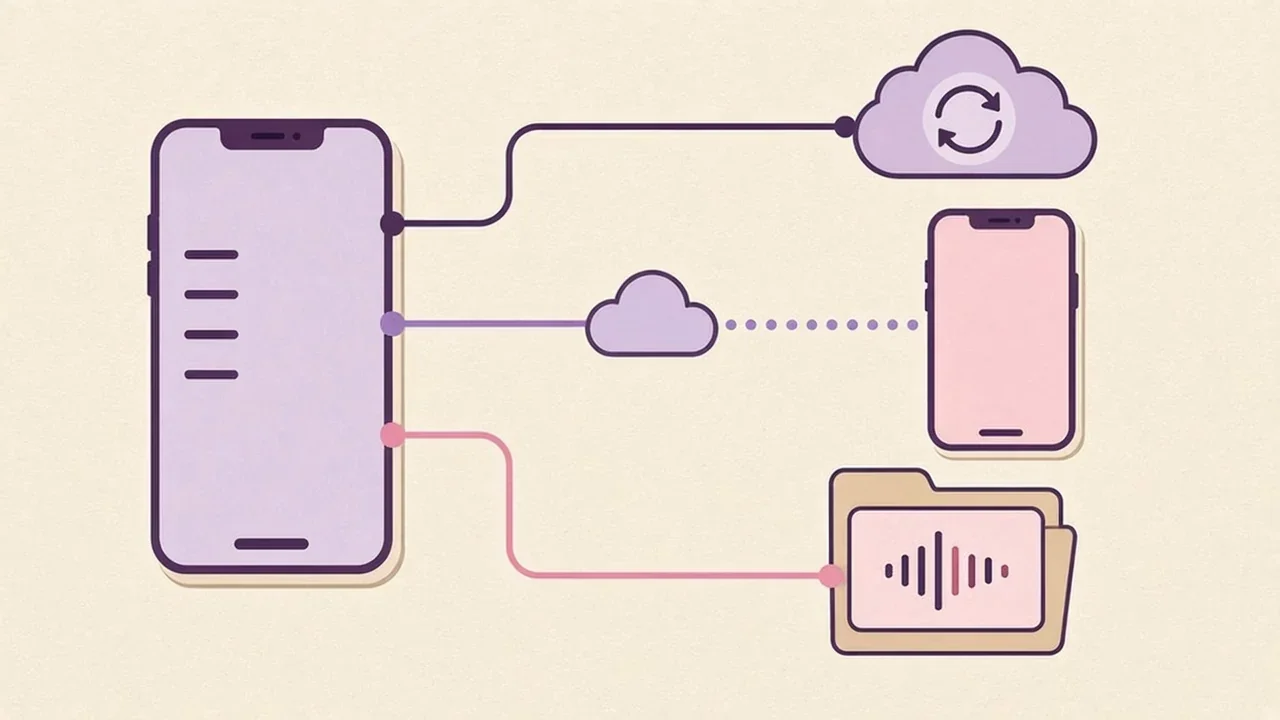
- Device backup (iCloud Backup or a computer backup) copies information on your iPhone so you can restore it onto a new or erased phone. Apple describes iCloud Backup as "making a copy of the information on your iPhone, iPad, and Apple Vision Pro that isn't already synced to iCloud" (Apple: What does iCloud back up?).
- App sync (for example, Voice Memos in iCloud, or iCloud Sync in Spitball) keeps the same library up to date on every device signed in to your Apple Account. It's convenient, but it isn't an archive: changes and deletions travel too.
- Export saves a copy of a recording or note outside the app, as a file in Files, a message to yourself or a document on your computer. Nothing you do later in the app touches that copy.
The safest setup is a regular device backup plus app sync, with exports for the handful of recordings that would really hurt to lose: a song idea, a voice message from someone you love, a long interview.
Are my voice notes backed up automatically?
Only if iCloud Backup or app syncing is turned on. Neither is guaranteed by default, so check both on your current iPhone.
Apple says that once you turn on Back Up This iPhone, "iCloud automatically backs up your iPhone daily when iPhone is connected to power, locked, and connected to Wi-Fi" (Apple: Back up iPhone). To check it:
- Open Settings and tap your name.
- Tap iCloud, then iCloud Backup.
- Make sure Back Up This iPhone is on, and look at when the last backup happened. Tap Back Up Now before you switch phones.
What's inside that backup matters. Apple says iCloud Backup "includes app data for the apps that you've downloaded on your device," and adds: "If the app uses iCloud Drive to store data, that information is stored in iCloud instead of your iCloud Backup." Data that already syncs to iCloud, such as Notes in iCloud, isn't duplicated in the backup because it's already in the cloud.
You can also back up to a Mac or Windows PC with a cable. Apple's steps let you select "Encrypt local backup" to protect it with a password, which is worth doing for a phone full of personal recordings. If you turn off iCloud Backup for a device, Apple says existing backups are kept for 180 days before being deleted.
How do I back up Apple Voice Memos?
Turn on Voice Memos in iCloud, and export important recordings to Files. Together they cover both a new phone and an accidental deletion.
Sync Voice Memos with iCloud
Go to Settings > [your name] > iCloud > See All, then scroll down and turn on Voice Memos. Apple says your recordings then stay "up to date automatically on your iPhone, iPad, and Mac where you're signed in to the same Apple Account and Voice Memos is turned on in iCloud settings" (Apple: Keep recordings up to date). On a new iPhone, sign in with the same Apple Account and your recordings sync down.
Export a recording to Files
For recordings you want to keep no matter what, save a copy. In Voice Memos, tap the recording, tap the More button, then the Share button, scroll down and tap Save to Files. Apple notes: "By default, recordings are exported in .m4a format." That flattens layered recordings and turns Spatial Audio into stereo, unless you choose Options > Editable first (Apple: Export a recording to Files).
Know where deleted recordings go
Deleted recordings aren't gone immediately. Apple says they "move to the Recently Deleted folder, where they're kept for 30 days by default," and you can change that in Settings > Apps > Voice Memos > Clear Deleted (Apple: Edit or delete a recording). Check that folder before you assume a recording is lost.
How do I back up my Spitball thoughts?
Turn on iCloud Sync in Spitball, keep your iPhone backed up, and export the thoughts that matter most. Spitball doesn't keep a copy of your library on its own servers, so these are the copies that exist.
By default, Spitball stores your thoughts, transcripts, recordings and any photos or places in a local library on your iPhone. No Spitball account is needed. To add a cloud copy:
- Open Spitball, go to Settings > iCloud Sync and follow the prompts.
- Make sure iCloud Drive is turned on for your Apple Account.
- Use the same Apple Account on every device you want connected.
- Leave Spitball open briefly so it can sync. Sync runs while the app is open and catches up when a connection is available.
That's optional iCloud Sync using your own Apple Account: Spitball's privacy policy says it "does not receive your Apple Account password or a separate copy of your library on a server we operate" (Spitball privacy policy).
Device backups are a separate question. Spitball's policy says: "Your device backup settings may affect whether Apple backs up app data. Local storage does not override the backup choices you make with Apple." Spitball hasn't published how a restored iPhone backup brings back its library, so don't rely on a device backup alone. Turn on iCloud Sync, and export anything important.
To export a thought, open it and tap Share, choose your format, then choose where to send it, such as Files or a message to yourself. You can include the recording when you want the original audio (Spitball Support). If you have questions about exporting a large library, ask Support or DM @sharma on Instagram before you switch phones.
How do I move my voice notes to a new iPhone?
Prepare the old phone first, set up the new one from the same Apple Account, and check your notes before erasing anything. Use this checklist in order.
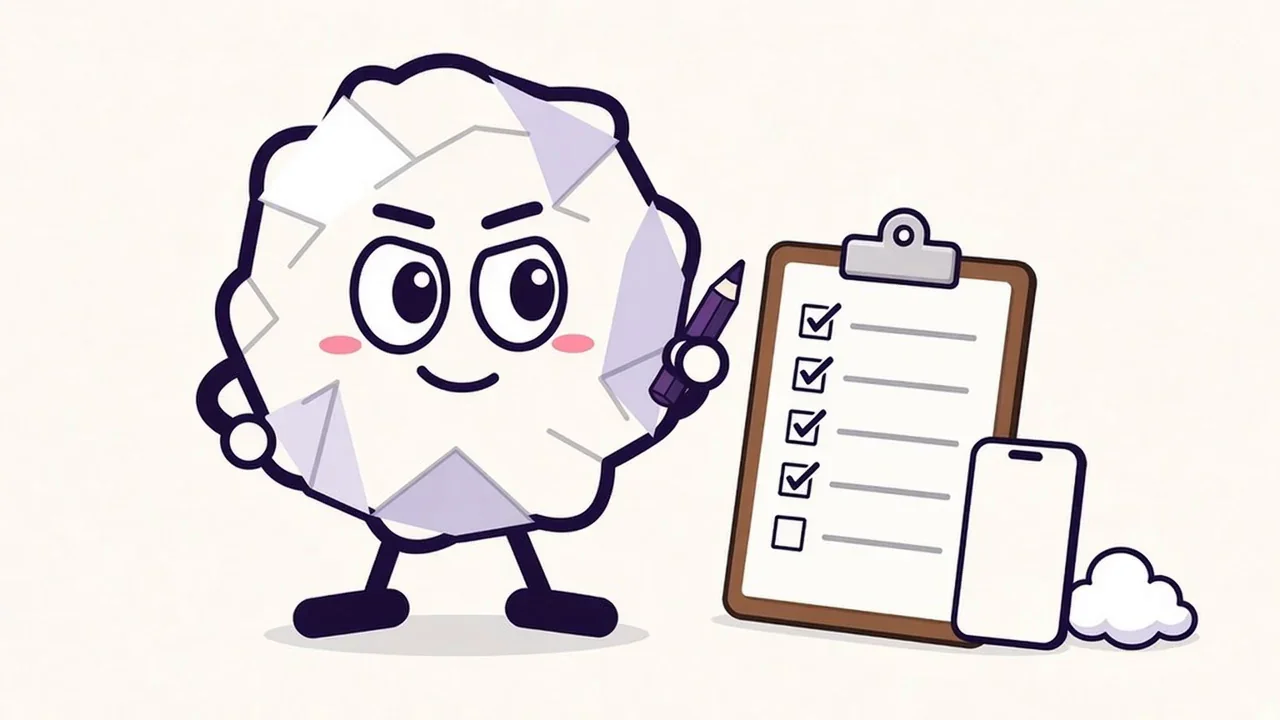
- Update your old iPhone and make sure you know your Apple Account password.
- Check app sync. Confirm Voice Memos is on in iCloud settings, and that iCloud Sync is on in Spitball. Open each app and leave it open for a minute so the latest recordings upload.
- Export the irreplaceable ones. Save your most important recordings to Files or send them to yourself.
- Make a fresh backup. In Settings > [your name] > iCloud > iCloud Backup, tap Back Up Now, or back up to your computer with "Encrypt local backup" selected.
- Set up the new iPhone. Apple's restore guide describes using Quick Start with your old phone nearby, transferring directly from your previous device, or choosing Restore from iCloud Backup (Apple: Restore all content from a backup).
- Sign in with the same Apple Account and turn on iCloud Drive.
- Reinstall Spitball if needed. Spitball is in beta through TestFlight, so install TestFlight and open the Spitball invitation from getspitball.com/download on the new iPhone. Then turn on iCloud Sync in Spitball's Settings and leave the app open while it syncs.
- Spot-check before you erase. Open a few recent and a few old recordings in each app. Play the audio, not just the title. If anything is missing, keep the old phone as it is and contact Spitball Support or Apple Support first.
- Only then erase the old phone.
Expect the first sync to take a little while if you have a lot of audio. Plugging both phones in and staying on Wi-Fi helps.
Why can deleting a note on one iPhone delete it everywhere?
Because sync copies changes, not just content. When you delete something in a synced library, the deletion is a change too, and it's sent to your other devices.
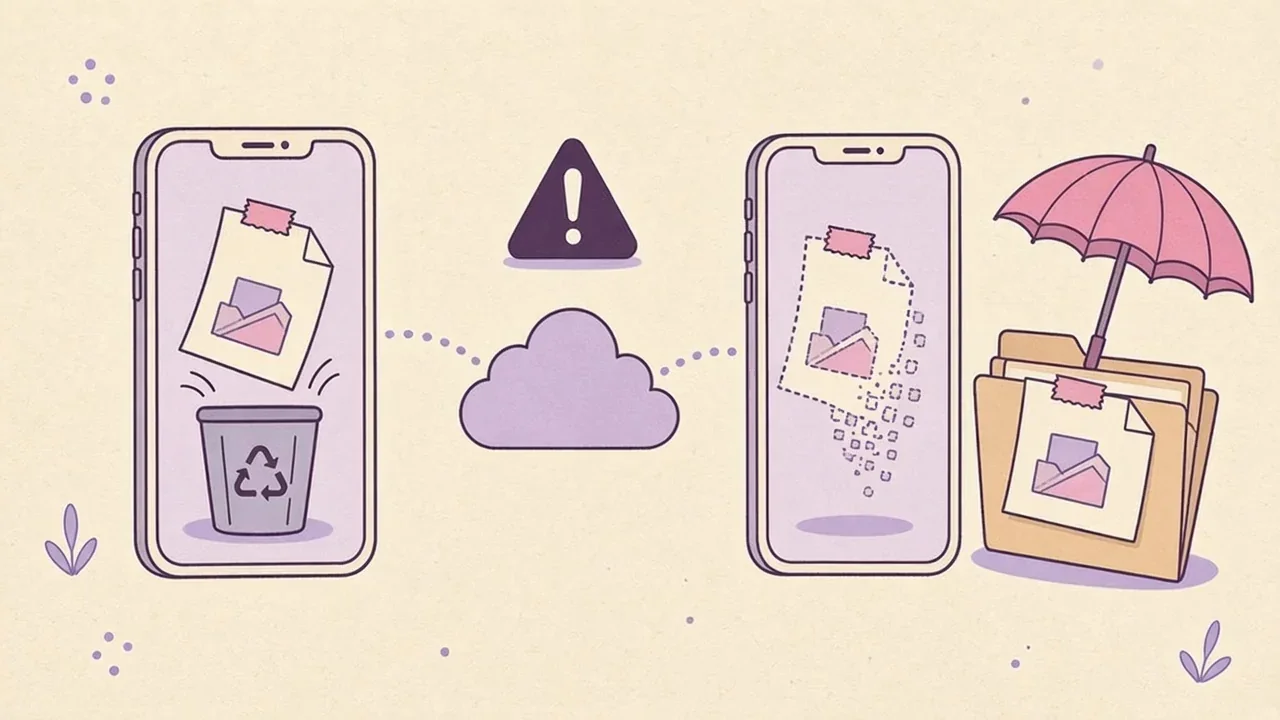
Spitball's support page says it directly: "Deletions can sync too, so export a copy before removing anything you want to keep." The privacy policy adds: "Turning sync off does not necessarily delete copies already stored in iCloud or device backups" (Spitball Support, Spitball privacy policy).
That's why sync isn't a backup. If you tidy up your library on the new phone and delete something by mistake, sync can remove it from the old phone too. Three habits protect you:
- Export before you delete. If you might want a recording again, save a copy outside the app first.
- Keep a device backup that predates any big cleanup.
- Use Recently Deleted in Voice Memos within its window (30 days by default) if you delete something by accident.
What should I check before deleting an app or erasing my iPhone?
Make sure every recording you care about exists somewhere other than that phone. For Spitball in particular, there's no company copy to fall back on.
Spitball's support page says: "Export important thoughts before deleting the app or its data. We don't hold a server copy that we can restore for you." The privacy policy repeats it: "We cannot restore a local library you have deleted." Your local thoughts remain until you delete them or remove the app's local data.
Before you delete Spitball, leave the beta or erase your phone:
- Confirm iCloud Sync has finished, if you use it.
- Export any thought you'd be upset to lose.
- Remember that TestFlight builds can expire. Spitball hasn't published what happens to a library when a build expires, so keep the app updated through TestFlight, export what matters, and ask Support if you're unsure.
- Check that your device backup is recent.
A note on cloud security, since backups hold so much: under Apple's standard data protection, iCloud Backup and Voice Memos are encrypted in transit and on the server with keys Apple holds. With Advanced Data Protection turned on, Apple lists both as end-to-end encrypted, with keys only on your trusted devices (Apple: iCloud data security overview). If you turn it on, set up a recovery contact or recovery key, because Apple can't help you recover that data.
What if I've already lost voice recordings?
Check the places a copy might still exist, in this order, before you erase or reset anything.
- Voice Memos Recently Deleted. Tap the Recently Deleted folder and tap Recover.
- Your other devices. If Voice Memos sync was on, look on your iPad or Mac. If Spitball iCloud Sync was on, open Spitball on another connected iPhone.
- Files and messages. Search Files, Mail and Messages for exports you sent yourself.
- An older backup. Restoring a backup replaces what's on the phone. Apple says that if you've already set up a device, "you need to erase all of its content before you can use these steps to restore from your backup." Make a new backup first so you don't lose anything recorded since.
Be realistic about Spitball. Because Spitball doesn't upload your library to a server, it can't recover thoughts that were deleted from your iPhone and from iCloud. If you're unsure what happened, contact Support or DM Nik at @sharma on Instagram before you try anything drastic.
Which backup method should I use?
Use more than one, matched to how much each recording matters.
- Everyday recordings: app sync (Voice Memos in iCloud, or iCloud Sync in Spitball) plus a daily iCloud Backup.
- Important recordings: everything above, plus an export to Files or your computer.
- Irreplaceable recordings: two exports in two places, such as Files in iCloud Drive and an encrypted computer backup.
- Before any big change (new phone, repair, deleting an app, leaving a beta): a fresh backup and a spot-check that your sync copy is complete.
If you're still choosing where to keep voice notes in the first place, our guide to voice notes on iPhone compares Voice Memos, Notes and Spitball, and Where do your voice notes actually go? explains Spitball's storage in plain language. For how transcripts are made without uploading audio, see how on-device transcription works on iPhone, and for the wider privacy picture, use our private notes app checklist. For a side-by-side look at Apple's apps, read Spitball vs Voice Memos vs Notes.
About the author
This guide was written by Nik Sharma, the developer of Spitball. Spitball is published by Long Wknd LLC. Nik founded and later sold Sharma Brands, hosts the Limited Supply podcast, and writes a Sunday newsletter at nik.co. You can find him on X (@mrsharma), LinkedIn and Instagram (@sharma).
Questions about backing up Spitball? Start with Support, or DM Nik at @sharma on Instagram. For Apple's own steps, the guides to backing up iPhone and syncing Voice Memos are the best references.
New to Spitball? Spitball is currently in beta through Apple's TestFlight. You'll need iOS 17 or later, and beta places are limited. It's free right now, and builds can expire. Get the Spitball beta.
A FEW MORE ANSWERS
Good questions.
Do Voice Memos sync with iCloud?
Yes, if you turn it on. Go to Settings, tap your name, tap iCloud, then See All, and turn on Voice Memos. Apple says your recordings then stay up to date on your iPhone, iPad and Mac where you're signed in to the same Apple Account with Voice Memos turned on.
Does iCloud Sync in Spitball back up my notes?
It keeps a copy of your library in iCloud using your own Apple Account, which helps when you change phones. It isn't an archive, though: deletions can sync to connected devices. Export important thoughts too, and keep a recent iPhone backup.
Will deleting Spitball delete my thoughts?
Spitball's support page says to export important thoughts before deleting the app or its data, because Spitball doesn't hold a server copy it can restore for you. Your local thoughts remain until you delete them or remove the app's local data. If you use iCloud Sync, confirm it has finished first.
Can Spitball restore my library if I lose it?
No. Spitball doesn't upload your library to its own servers, so it has no copy to restore. Your recovery options are copies you control: iCloud Sync if it was on, a device backup, or thoughts you exported. Contact Spitball Support or @sharma on Instagram if you're unsure what to try.
Does an iPhone backup include app data?
Apple says iCloud Backup includes app data for the apps you've downloaded, but data an app stores in iCloud Drive is kept in iCloud instead of the backup. Data that already syncs to iCloud, like Notes in iCloud, isn't duplicated in the backup. Computer backups can be encrypted with a password.
How do I export a voice note from my iPhone?
In Voice Memos, tap the recording, tap More, tap Share, then choose Save to Files; Apple exports .m4a by default. In Spitball, open a thought, tap Share, choose a format, then choose where to send it, and include the recording when you want the original audio.