 spitball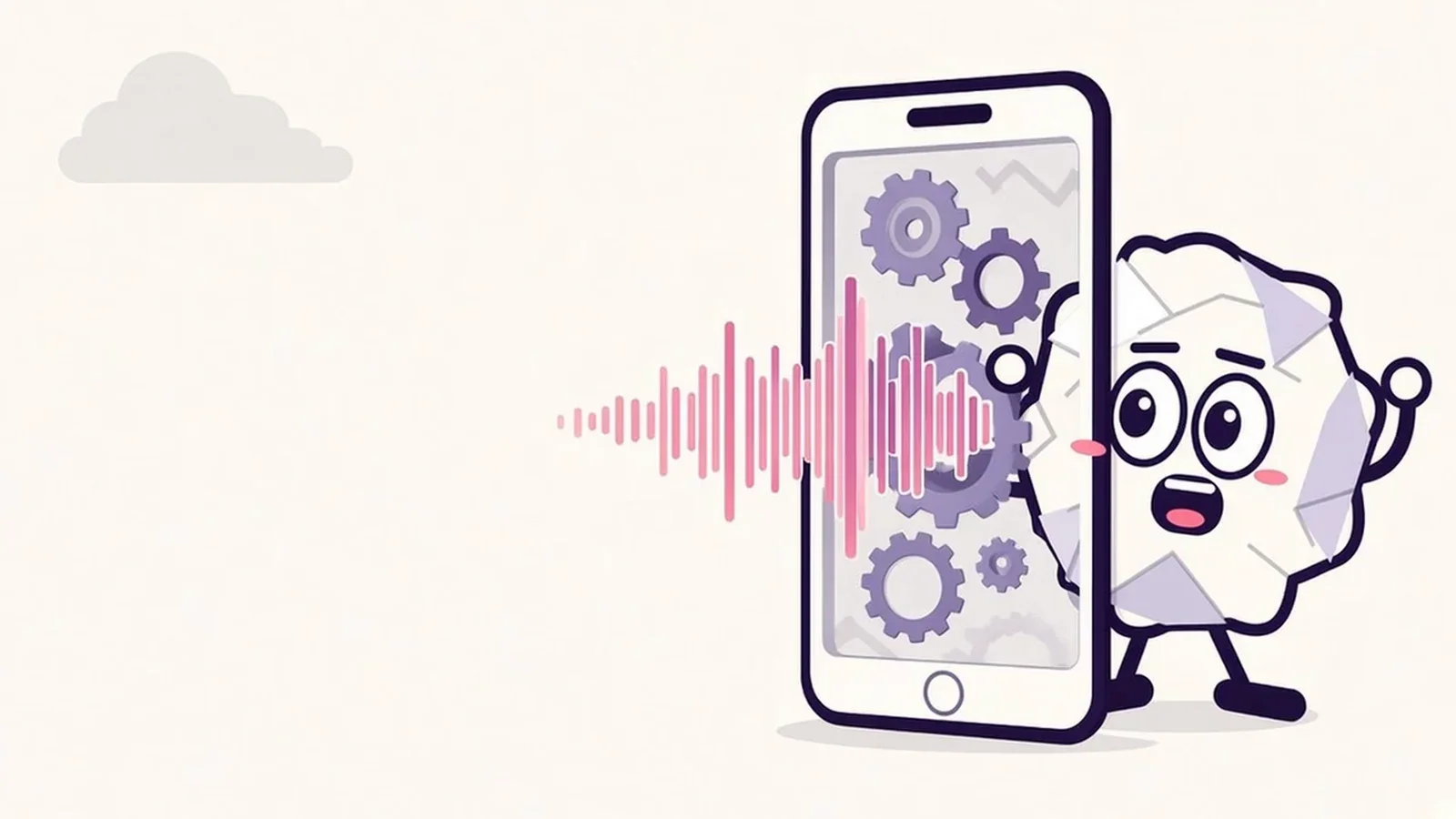
THE SHORT VERSION
What to take away
- On-device transcription converts speech to text on the iPhone itself, so the audio doesn't need to be uploaded to a server to become text.
- The first transcription may be slower because iOS can download a speech model from Apple; later transcripts can work offline.
- Apple says Dictation and Siri show in Settings whether audio is processed on the device; otherwise it is sent to Apple's servers.
- Spitball uses on-device transcription with no cloud transcription fallback: if it can't transcribe, it keeps the recording.
- On-device covers transcription only. Sync, sharing, optional analytics and TestFlight diagnostics are separate paths.
WATCH THE IDEA
On-device vs cloud transcription, in 23 seconds
A short illustrated explainer: on-device transcription turns speech into text on your iPhone, while cloud transcription sends audio to a server. A speech model may download first, and Spitball transcribes English on the device with no cloud fallback.
Read the video transcript
This video has no narration. Pip, the Spitball paper-ball character, peeks around a paper iPhone as a sound wave flows inside and paper gears turn, while a cloud stays faded in the corner. Then a split diagram shows speech becoming text inside a glowing phone on one side, and audio traveling to a cloud server and back on the other. Captions: On-device transcription turns speech into text on your iPhone itself. The audio doesn't need to travel to a server to become text. Cloud transcription sends audio to a server and gets text back. On iPhone, a speech model may need to download first. Spitball transcribes English on your iPhone, with no cloud fallback. Syncing, sharing and optional analytics are separate choices.
On-device transcription turns your speech into text on your iPhone itself, instead of sending the audio to a remote server. The recording doesn't have to leave the phone to become text. Accuracy and language support depend on your device and on the speech models Apple downloads to it.
This guide is for anyone who records voice notes, dictates messages or uses a transcription app and wants to know what actually happens to their voice. It explains how on-device and cloud transcription differ, why a model sometimes downloads first, what Apple says about Dictation and Siri, and how to check an app's claims for yourself. Spitball is our app, so we explain exactly how it uses on-device transcription and where its limits are.
Apple details come from Apple's iPhone User Guide (iOS 27), Apple's Siri, Dictation & Privacy page and Apple's Speech framework documentation, all checked October 20, 2026. Spitball details come from Spitball's published privacy policy and support pages.
What is on-device transcription?
On-device transcription is speech-to-text that runs on the phone's own processor, using a speech recognition model stored on the device. Your iPhone listens to the audio, the model works out which words were said, and the text appears, all without the audio being uploaded to a transcription service.
The alternative is cloud transcription: the app sends your audio over the internet to a server, a model running there produces the text, and the text comes back to your phone. Many meeting and dictation services work this way, and some apps use both, falling back to the cloud when the device can't do the job.
On iPhone, apps usually get speech recognition from Apple's Speech framework. Apple's summary of the framework reads: "Perform speech recognition on live or prerecorded audio, and receive transcriptions, alternative interpretations, and confidence levels of the results" (Apple Developer: Speech). Whether that work happens on the iPhone or on Apple's servers depends on the device, the language and how the app asks for it. That's why "uses Apple's speech recognition" on its own doesn't tell you where your audio goes.
Apple's own apps use speech recognition too. Voice Memos and Notes can transcribe recordings on iPhone 12 or later in a set list of languages (Apple: View a Voice Memos transcription), and Dictation turns speech into text in any text field. For step-by-step instructions, see how to transcribe voice memos on iPhone. If a transcript doesn't appear, work through our 8 fixes for voice memo transcription.
How is on-device transcription different from cloud transcription?
The biggest difference is where your audio goes. With on-device transcription the audio is processed where it was recorded. With cloud transcription a copy travels to someone else's computer, and that service's policies decide what happens to it next.
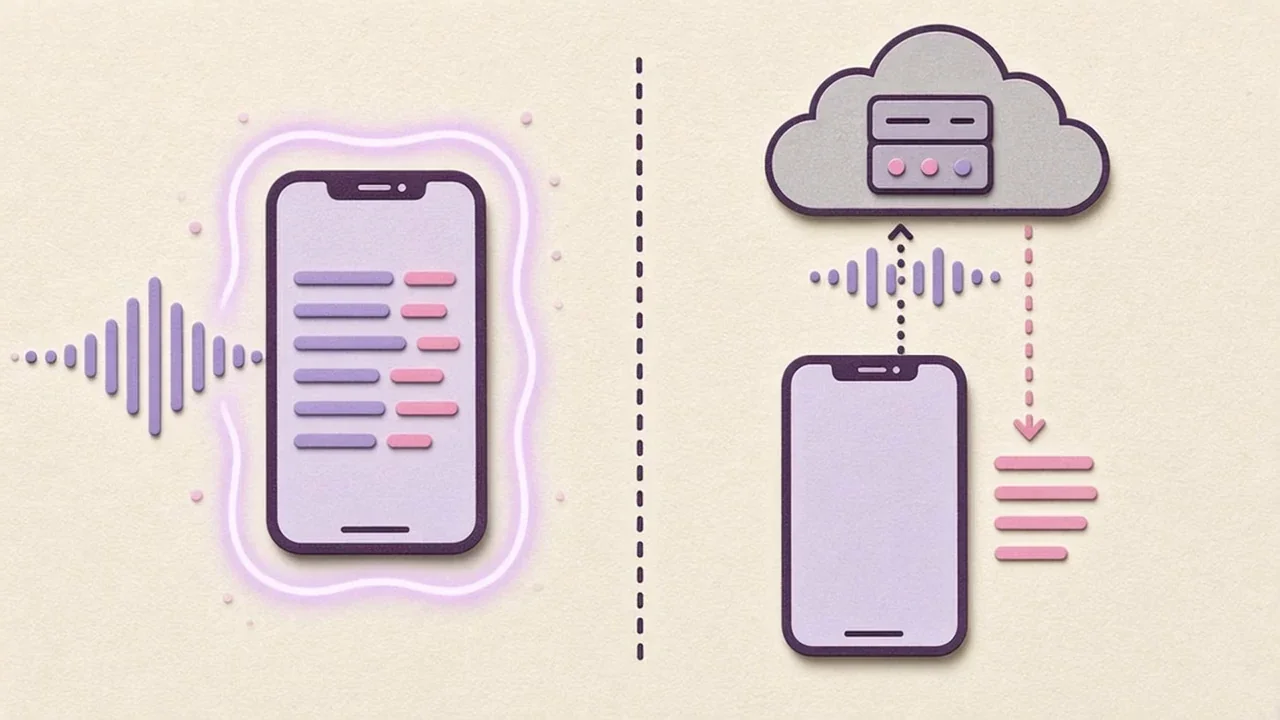
Here's how the two approaches compare on the things most people care about:
- Where the audio goes: on-device keeps it on the iPhone for transcription. Cloud sends it to a server, where it may be stored, logged or reviewed depending on the provider's policy.
- Internet connection: on-device can work offline once the model is on the phone. Cloud needs a connection every time.
- Accuracy: this varies by model, language and audio quality, so there's no single rule. Apple's documentation for its older speech API is candid about the trade-off there: when an app forces on-device recognition, "on-device requests won't be as accurate" (Apple Developer: requiresOnDeviceRecognition).
- Languages: on-device support depends on which language models exist for your device. Cloud services often list more languages.
- Storage on the phone: on-device models take up space. Cloud models don't.
Neither approach is automatically "better". If the content is sensitive, like a private idea, a health note or something about another person, keeping the audio on the phone removes one party from the chain. If you need a rare language or a long meeting transcribed with speaker labels, a cloud service may suit you better, as long as you're comfortable with its terms. For a meeting-focused cloud service compared with a voice-notes app, see Otter vs a voice-notes app.
Why does my iPhone download a speech model first?
Speech recognition needs a trained machine-learning model for each language, and your iPhone doesn't always have the one an app needs. The first time an app asks for transcription, iOS may download that model. After that, it stays on the phone.
Apple's developer documentation spells this out. Before an app can use Apple's newer SpeechAnalyzer tools, the required assets must be installed. Apple explains: "These assets are machine-learning models downloaded from Apple's servers and managed by the system." Apple adds that "once assets are downloaded, they persist between app launches and are shared between apps" (Apple Developer: AssetInventory). Apple also notes that the system may unsubscribe an app from assets that haven't been used in a while.
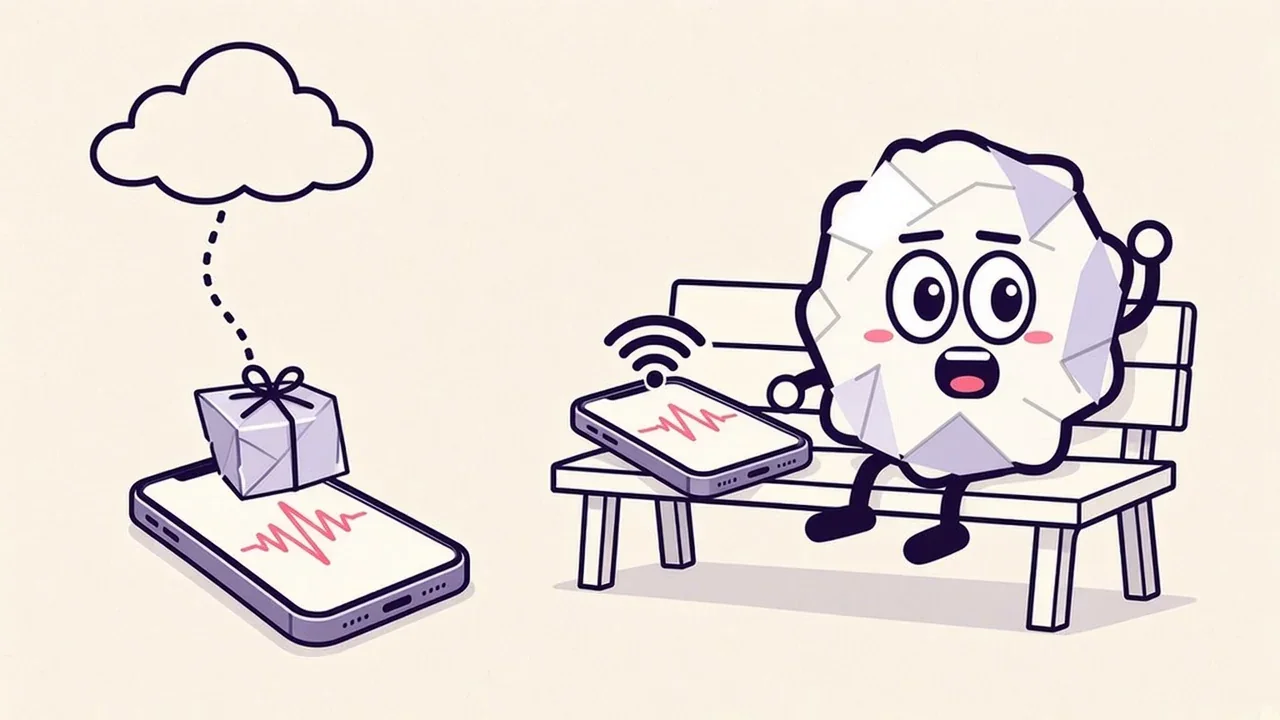
In practice, that explains a few things people notice:
- The first transcript takes longer. The model may be downloading in the background.
- The first transcript may need a connection, even in an app that transcribes on the device, because the download comes from Apple.
- Later transcripts can work offline, because the model is already installed.
- Another app may have already done the download for you, since Apple says models downloaded for its newer SpeechAnalyzer tools are shared between apps.
Downloading the model isn't the same as uploading your audio. The model comes down to your phone, and your recording doesn't have to go up. Spitball's support page puts it simply: "The first transcription may need to download Apple's speech model" (Spitball Support).
Does iPhone transcription work offline?
Often, yes. For Dictation, Apple says it "is processed on your iPhone in many languages, and no internet connection is required" (Apple: Dictate text on iPhone). Apple adds one caveat: when you dictate into a search field, the dictated text may be sent to the search engine to run the search.
For apps, it depends on how they're built. An app that requires on-device recognition can transcribe offline once the model is installed. An app that uses cloud transcription can't. An app that falls back to the cloud may quietly behave differently on and off Wi-Fi.
Spitball is designed for the first case. Capture works offline, and Spitball uses on-device transcription with no cloud transcription fallback, so being offline doesn't change where your audio is processed. If the speech model isn't available yet, Spitball keeps the recording and you can retry the transcript later (Spitball Support).
Does Dictation or Siri send my audio to Apple?
Sometimes. Apple's privacy page says your device tells you which case applies. For Dictation, Apple writes: "When you use Dictation, your device will indicate in Keyboard Settings if your audio and transcripts are processed on your device and not sent to Apple servers. Otherwise, the things you dictate are sent to and processed on the server, but will not be stored unless you opt in to Improve Siri and Dictation" (Apple: Siri, Dictation & Privacy).
Siri works the same way. Apple says your device "will indicate in Siri Settings whether the things you say are processed on your device and not sent to Apple servers. Otherwise, your audio is sent to and processed on Apple servers."
The same page has a line that matters for third-party apps: "if you choose to allow apps to use Speech Recognition for transcription, the audio data to be transcribed may be sent to Apple." In other words, an app using Apple's speech recognition isn't automatically on-device. It depends on whether the app requires on-device processing.
To see which apps can use speech recognition, Apple points to Settings > Privacy & Security > Speech Recognition. To check how Dictation is processed on your iPhone, look at the dictation settings under Settings > General > Keyboard, including About Dictation & Privacy. Labels can vary slightly between iOS versions.
How do iPhone apps choose on-device transcription?
Developers decide. Apple's Speech framework gives apps a way to insist that audio stays on the phone, and apps that care about privacy use it and say so in their privacy policy.
In Apple's older speech API, the setting is called requiresOnDeviceRecognition and Apple defines it as "a Boolean value that determines whether a request must keep its audio data on the device." Apple adds: "Set this property to true to prevent an SFSpeechRecognitionRequest from sending audio over the network." That setting only works when the recognizer for that language supports on-device recognition. If it doesn't, Apple says the recognizer "requires a network in order to recognize speech" (Apple Developer: supportsOnDeviceRecognition).
Newer versions of iOS add SpeechAnalyzer and SpeechTranscriber, which use speech models that the system downloads and manages on the device. Apple tells developers to check whether a device and language are supported before offering the feature (Apple Developer: SpeechTranscriber).
That gives you a practical way to read an app's claims. "Uses Apple's speech recognition" tells you little. "Transcribes on your device, with no cloud fallback" tells you the app has chosen to keep audio local even when that means no transcript at all. The second claim is the one to look for.
What affects on-device transcription accuracy?
Audio quality, the language model and the way you speak all matter more than where the model runs. A clear recording in a supported language usually transcribes well. A noisy recording full of names and jargon usually doesn't, on any system.
- Distance and noise. Hold the phone at a comfortable distance, avoid covering the microphone and pause rather than talk over loud noise.
- Names and specialist words. Proper nouns, product names and acronyms are the most common errors. Say them clearly, or spell them if they matter.
- Language and accent. Each model is trained for particular languages. Spitball transcribes English only right now.
- Length and structure. Short, single-topic recordings are easier to check and correct than long rambles.
- The device itself. Apple ties support to particular models. Voice Memos and Notes transcription, for example, needs iPhone 12 or later.
Every speech-to-text system makes mistakes, so keep the original audio. Spitball's terms say it plainly: transcripts can contain errors, so check the original audio when accuracy matters. That's one reason Spitball keeps the recording with every transcript.
How does Spitball use on-device transcription?
Spitball transcribes recordings on your iPhone and never falls back to a cloud transcription service. Spitball's privacy policy says: "Spitball uses Apple's on-device speech capabilities to transcribe recordings when supported by your device and language. It may need to download a speech model first. If on-device transcription is unavailable, the app keeps your recording rather than uploading it to a cloud transcription service" (Spitball privacy policy).
Here's what that means day to day:
- Allow speech recognition when Spitball asks. Microphone access lets you record; speech permission enables transcription.
- Record a thought in the app, or press and hold the Action button if you've set up Spitball's capture shortcut. Each thought can be up to 5 minutes long.
- Leave Spitball open while it transcribes, especially the first time, when Apple's speech model may need to download.
- If a transcript is missing, open the thought, play the audio to check it and retry transcription. Your recording is saved either way.
Two limits are worth knowing. Spitball transcribes English only, and on-device support varies by device and language. If your iPhone can't transcribe a recording on the device, you get the recording without a transcript rather than a transcript made somewhere else. For the full troubleshooting steps, see Spitball Support.
What doesn't "on-device" cover?
On-device transcription answers one question: where your audio becomes text. It doesn't mean nothing ever leaves your phone. Other features can send data, and you should know which ones.
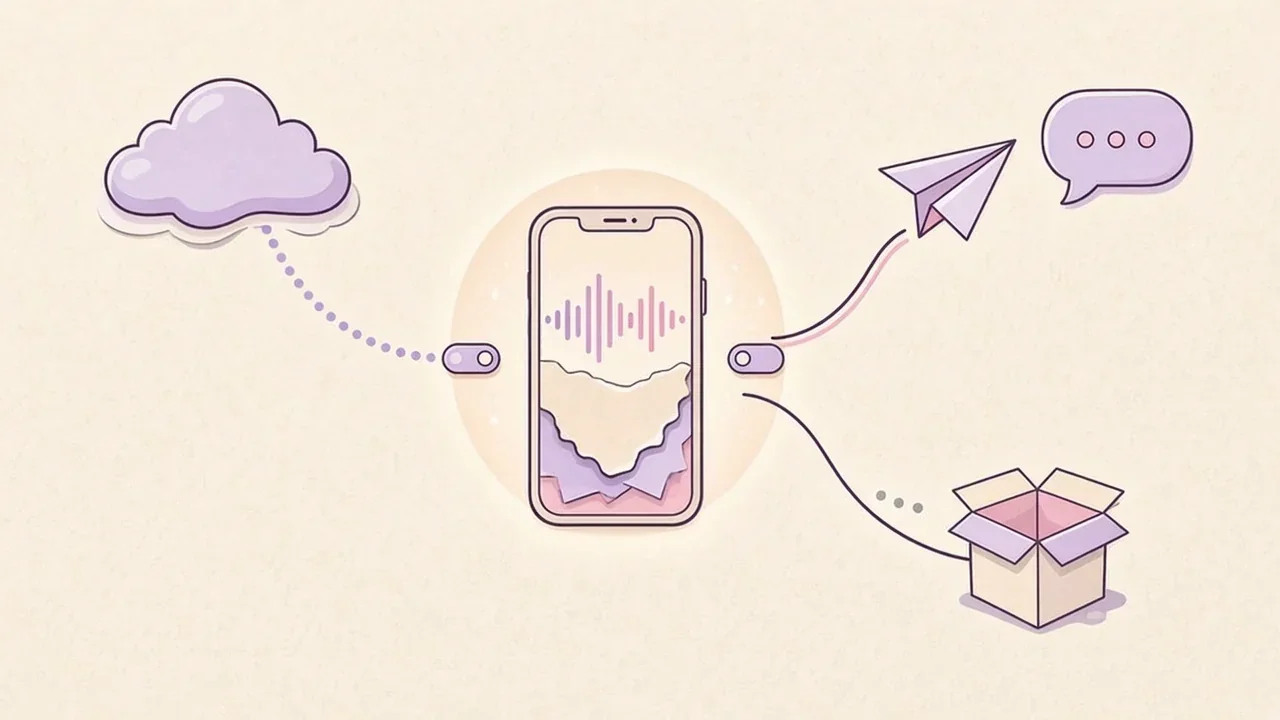
For Spitball, these are the separate paths, all described in the privacy policy:
- Storage: your thoughts are stored on your iPhone by default. Spitball doesn't upload your library to a Spitball server, and no Spitball account is needed.
- Sync: optional iCloud Sync using your own Apple Account sends your library through iCloud if you turn it on. Apple runs iCloud under its own terms.
- Sharing: when you share a thought, the content you choose goes to the app or person you pick.
- Optional analytics: optional analytics (off by default) send limited usage events to PostHog when turned on. Spitball says your thought text and titles, searches, recordings, photos, places and contacts are excluded. You can turn it off in Settings > Storage & privacy.
- Beta diagnostics: TestFlight separately sends Apple's beta diagnostics, meaning beta usage and crash information shared with the developer, regardless of Spitball's analytics setting.
- Device backups: your iPhone backup settings may affect whether Apple backs up app data.
Our plain-language explainer, Where do your voice notes actually go?, walks through each of these, and our checklist, what makes a notes app private, shows how to ask the same questions of any app. If you keep your library only on your iPhone, read how to back up voice notes and move them to a new iPhone too.
How can I check whether an app transcribes on my device?
Read the privacy policy for specific wording, then test it. A few minutes is enough to tell a clear claim from a vague one.
- Look for the exact claim. "On-device" or "on your iPhone" plus "no cloud fallback" is specific. "Secure", "private" or "encrypted" on their own aren't claims about where transcription happens.
- Check for a fallback. If a policy says audio "may" be sent to a server when the device can't transcribe it, the app isn't on-device only.
- Check Speech Recognition access in Settings > Privacy & Security > Speech Recognition, and remember Apple's note that audio from apps using Speech Recognition "may be sent to Apple" unless the app keeps it on the device.
- Try it offline. After you've made at least one transcript (so any model has downloaded), turn on Airplane Mode and record a short test. If a transcript still appears, the work happened on the phone. If it doesn't, the app may rely on a network, or it may simply wait and retry later, so check its support pages.
- Look beyond transcription. Check sync, sharing, analytics and account requirements too. Our guide to voice notes on iPhone compares where Voice Memos, Notes and Spitball store recordings.
About the author
This guide was written by Nik Sharma, the developer of Spitball. Spitball is published by Long Wknd LLC. Nik founded and later sold Sharma Brands, hosts the Limited Supply podcast, and writes a Sunday newsletter at nik.co. You can find him on X (@mrsharma), LinkedIn and Instagram (@sharma).
Questions about how Spitball transcribes? Start with Support and the privacy policy, or DM Nik at @sharma on Instagram. Apple's settings move between iOS releases, so if a menu here doesn't match your iPhone, check your iOS version first.
Want to try it? Spitball is currently in beta through Apple's TestFlight. You'll need iOS 17 or later, and beta places are limited. It's free right now, and builds can expire, so keep TestFlight up to date. Get the Spitball beta.
A FEW MORE ANSWERS
Good questions.
Does on-device transcription work offline?
Usually, once the speech model is on your iPhone. Apple says Dictation is processed on iPhone in many languages with no internet connection required. The first transcription in an app may need a connection to download Apple's speech model, and after that it stays on the device. For apps that use Apple's newer SpeechAnalyzer tools, Apple says downloaded speech models persist and are shared between apps.
Is on-device transcription as accurate as cloud transcription?
It depends on the model, language and audio. Apple's documentation for its older speech API says on-device requests won't be as accurate as server-based ones. Clear audio, a quiet room and clearly spoken names help any system. Keep the original recording so you can check anything that looks wrong.
Which languages does Spitball transcribe?
Spitball transcribes English only right now. Transcription runs on your iPhone with Apple's on-device speech capabilities, and support varies by device. If a recording can't be transcribed on the device, Spitball still saves the audio, and you can retry the transcript later.
Does Spitball ever upload my audio to transcribe it?
No. Spitball uses on-device transcription with no cloud transcription fallback. Its privacy policy says that if on-device transcription is unavailable, the app keeps your recording rather than uploading it to a cloud transcription service. Your thoughts are stored on your iPhone by default.
Why is my first transcription slow?
Your iPhone may be downloading Apple's speech model for that language. Apple's developer documentation says these models are downloaded from Apple's servers, managed by the system and kept between app launches. In Spitball, leave the app open while the first transcript finishes, and check that speech recognition is allowed.
Does on-device transcription mean no data leaves my phone?
No. It only means your audio becomes text on the iPhone. Other features can still send data: optional iCloud Sync, sharing, optional analytics (off by default, limited usage events to PostHog when on) and Apple's TestFlight beta diagnostics. Read an app's privacy policy for each of these.