 spitball
THE SHORT VERSION
What to take away
- Otter is built for meetings: live transcription, speaker identification, summaries, and a notetaker for Zoom, Teams and Google Meet.
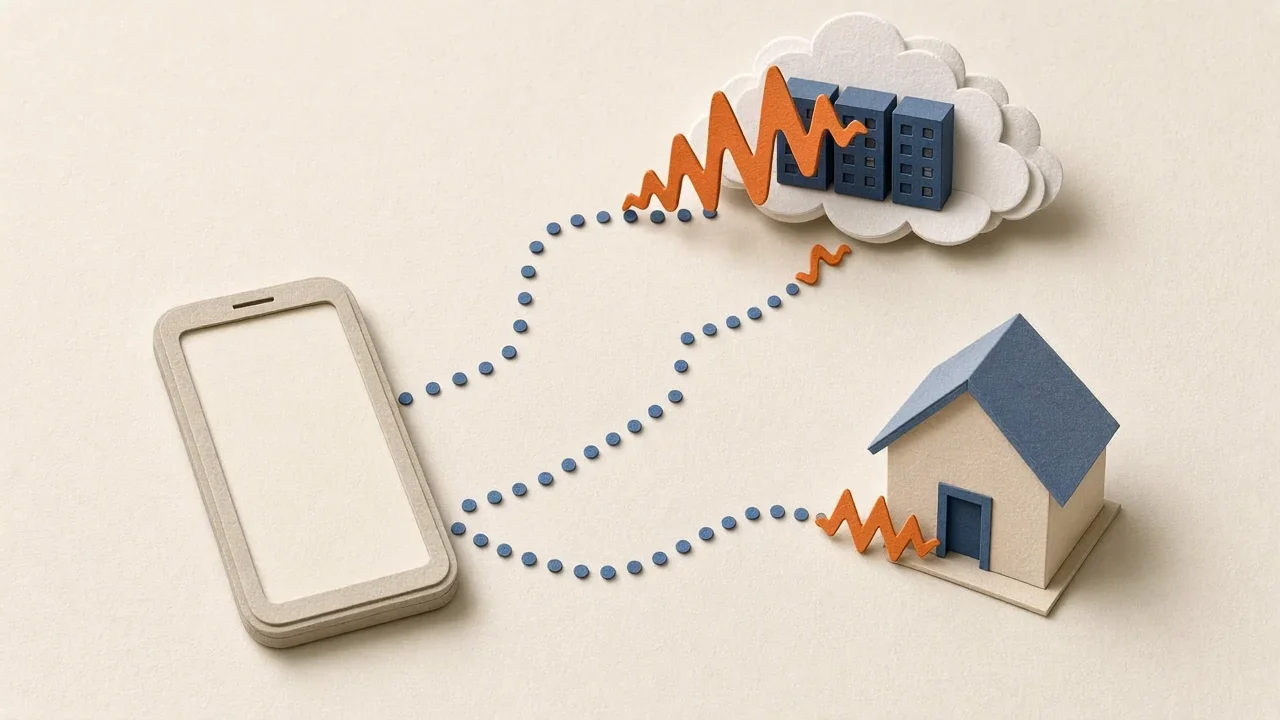
- Otter stores conversations in the cloud in your Otter account and needs an internet connection for real-time transcription.
- A voice-notes app is built for quick personal thoughts; Voice Memos is built in and Spitball saves thoughts of up to 5 minutes.
- Spitball stores thoughts on your iPhone by default and transcribes English on-device, with no cloud transcription fallback.
- Otter Basic is free with 300 monthly transcription minutes and up to 30 minutes per conversation; Spitball is free right now in a TestFlight beta.
WATCH THE IDEA
Otter or a voice-notes app? Meetings vs quick thoughts
A short illustrated comparison: Otter is built for meetings and stores conversations in the cloud, while a voice-notes app is built for quick personal thoughts. Spitball, our app, is free right now, English only, and stored on your iPhone by default.
Read the video transcript
This video has no narration. A busy paper meeting table sits beside a quiet path where Pip strolls with an idea, a waveform travels either up to a paper cloud or into a small paper house, Pip compares an hourglass and long scroll with a short note, then walks through a paper park as a waveform floats into an iPhone. Captions: Otter is built for meetings. A voice-notes app is built for quick thoughts. Otter keeps conversations in your Otter account in the cloud. Long meetings need minutes. Quick ideas need seconds. For a thought on a walk, a short voice note is enough. Spitball is our app: free right now, English only, stored on your iPhone by default.
Use Otter if you need a meeting assistant: Otter's own site describes live transcription, speaker identification, summaries and a notetaker that joins Zoom, Teams and Google Meet. Use a voice-notes app such as Apple Voice Memos or Spitball for short personal thoughts you want to capture quickly and keep on your iPhone.
Spitball is our app. We've written this comparison from the vendors' own pages, not from rankings or reviews. Every Otter fact below comes from otter.ai or Otter's help center and was checked on October 20, 2026. Plans and features change, so check Otter's current pricing before you subscribe.
What's the short answer?
Otter and a voice-notes app solve different problems, so the right choice depends on what you record most:
- Mostly meetings, calls, interviews or lectures? Otter is built for that. It transcribes conversations, identifies speakers, writes summaries with action items, and can join video calls on your behalf.
- Mostly quick ideas, reminders and half-formed thoughts? A voice-notes app is the lighter tool. Voice Memos is built into iPhone; Spitball saves each thought, up to 5 minutes, with an English transcript and the original audio, stored on your iPhone by default.
Plenty of people use both: Otter at work for meetings, and a voice-notes app for the ideas that show up in between. The rest of this guide explains the differences point by point, then gives a clear "choose Otter if" and "choose a voice-notes app if" for each situation.
How did we compare Otter and a voice-notes app?
We compared what each tool is built for, where it stores recordings, transcription and connection requirements, recording length, and price. Otter facts come only from otter.ai, Otter's pricing and privacy pages, and Otter's help center. Apple facts come from support.apple.com, and Spitball facts from Spitball's support and privacy pages. All were checked on October 20, 2026. We didn't use ratings, user counts or third-party reviews, and we didn't run a device test for this article. We'll re-check these facts every quarter.
What is Otter built for?
Otter describes itself as an AI notetaker and meeting agent. Its homepage says "Otter transcribes every meeting, turning it into searchable knowledge that powers your workflow" (otter.ai, checked October 20, 2026). According to Otter's own pages, its features include:
- A notetaker for video calls that joins Zoom, Microsoft Teams and Google Meet to write and share notes.
- Live transcription and speaker identification, listed on the free Basic plan.
- Summaries with action items and outlines, plus AI Chat that can answer questions across your meetings.
- Integrations with tools such as Slack, Salesforce, HubSpot, Google Drive and Notion.
- Recording from your phone, desktop or browser. In the mobile app, Otter's help center says you tap the blue microphone icon to record, and the conversation "will start recording and will transcribe in real time" (Otter: Record a conversation).
Those features make sense for conversations with several people. They also explain why Otter is account-based and cloud-based: summaries, sharing with teammates and search across meetings all work from Otter's servers.
What is a voice-notes app built for?
A voice-notes app is built for one person capturing a thought quickly. The job is to get from "I just had an idea" to "it's saved" in as few steps as possible, then find it again later.
Apple's Voice Memos is the built-in example. Apple describes it as a way to use iPhone as "a portable recording device to record personal notes, classroom lectures, musical ideas, and more," and on iPhone 12 or later it transcribes speech in 10 languages (Apple: View a Voice Memos transcription).
Spitball is a dedicated capture app. You record a voice note or type a thought, save it, and come back to its transcript and original audio. You can add a photo or a place, search for a word you remember, and start capture with the Action button on iPhones that have one. Each thought can be up to 5 minutes long, which keeps it focused on ideas rather than meetings.
The trade-off is deliberate. A voice-notes app doesn't try to label speakers or summarize an hour-long call. It tries to make the 20-second idea effortless. Our pillar guide to voice notes on iPhone covers every built-in way to do that.
Where do Otter and Spitball store your recordings?
This is the clearest difference between them.
Otter stores conversations in the cloud, in your Otter account. Otter's privacy page says it "uses AWS S3 storage" with server-side AES-256 encryption, and that "your conversations are always private, accessible to only you and the people you choose to share with" (Otter: Privacy & Security). Otter also says deleted conversations go to the Trash and are deleted automatically after 30 days. On model training, Otter says it uses "a proprietary method to de-identify user data before training our models."
Spitball stores thoughts, transcripts, recordings, photos and places on your iPhone by default. Spitball's privacy policy says "We do not upload your thought library to a Spitball server." If you want your library on more than one device, optional iCloud Sync uses your own Apple Account. Optional usage analytics start off; when on, they exclude your thought text, recordings, photos and places. Apple's TestFlight separately collects beta usage and crash information.

Neither approach is automatically better. Cloud storage makes sharing and team search easy. On-device storage keeps personal thoughts in fewer places. Pick the one that matches what you're recording. Our private notes app checklist lists the questions to ask any app.
How do transcription and internet use compare?
Otter lists AI transcription in English, Spanish, French, German, Japanese and Chinese (Otter pricing). Its help center says "an active internet connection is required for real-time transcription." If you lose signal, Otter says the app keeps capturing audio on your device and uploads it to finish processing when you reconnect (Otter: Recording best practices).
Spitball transcribes English only, on your iPhone, using Apple's on-device speech capabilities. The first transcription may need to download Apple's speech model. There's no cloud transcription fallback: if on-device transcription isn't available, Spitball keeps the recording and you can retry later. Capture works offline, and iCloud Sync, if you use it, catches up later.
Voice Memos transcribes on iPhone 12 or later in English, Spanish, Portuguese, Italian, French, German, Japanese, Korean, Simplified Chinese and Traditional Chinese, though not in every country or region.
Whichever you use, speech-to-text makes mistakes with names, jargon and noisy rooms. Otter's pricing page lists team vocabulary on its Pro plan, which helps with names and terms. In Spitball and Voice Memos, keeping the original audio is how you check a word. Our guide to transcribing voice memos has tips for cleaner transcripts, and 8 fixes for transcription that isn't working helps when a transcript doesn't appear.
How long can recordings be?
Length is where the two kinds of app diverge most.
- Otter Basic (free) lists up to 30 minutes per conversation and 300 monthly transcription minutes. Otter's Pro plan lists up to 90 minutes per meeting, and its Business plan up to 4 hours per meeting (Otter pricing).
- Spitball allows up to 5 minutes per thought. That suits ideas and reminders, not meetings.
- Voice Memos is suited to long recordings such as lectures and rehearsals.
A good test: think about your last ten recordings. If most were over 10 minutes and involved other people, you need a meeting tool. If most were under 2 minutes and just you, a voice-notes app will feel faster.
How much do they cost?
Otter has a free Basic plan. On Otter's pricing page, Pro is listed at $16.99 per user per month on monthly billing, with a discount for annual billing, and there are Business and Enterprise plans for teams. Otter also sells subscriptions through the App Store and Google Play.
Spitball is free right now. It's currently in beta through Apple's TestFlight, you'll need an iPhone with iOS 17 or later, and beta places are limited. No Spitball account is needed.
Voice Memos is free and built into iPhone.
Choose Otter if…
Choose Otter if most of what you record is meetings, interviews, classes or calls with more than one person. It's the better fit if you want speaker identification, summaries and action items, a notetaker that joins Zoom, Teams or Google Meet, team sharing through channels, or integrations with work tools like Salesforce and Slack. It also fits if you transcribe in Spanish, French, German, Japanese or Chinese as well as English. On the free plan, plan around its 30-minute conversation limit. Otter's privacy page also reminds users that they "must always ask for consent and indicate when they are recording and transcribing conversations with others," which is good practice with any recorder.
Choose a voice-notes app if…
Choose a voice-notes app if most of what you record is your own short thoughts: ideas on a walk, reminders, a line for a project, a question to ask later. Use Voice Memos if you want something built in, need long recordings or want your recordings on a Mac and iPad. Use Spitball if you want each thought saved with an English transcript and the original audio, plus an optional photo or place, started from the Action button if you like, and stored on your iPhone by default without an account.
Comparing other apps for personal notes? See Voice Memos alternatives for iPhone and AudioPen vs Whisper Memos vs Spitball. To compare Apple's built-in apps, see Voice Memos vs Notes vs Spitball.
Can I use Otter and a voice-notes app together?
Yes, and the split is natural. Let Otter handle scheduled meetings and calls, where summaries and speaker labels save time. Use a voice-notes app for everything that happens between meetings: the idea in the elevator, the follow-up you remember while walking to your car, the thought you'd lose if you had to open a meeting tool and start a new conversation.
If you use Spitball for those moments, each thought is saved with a transcript and the original audio, so you can share it as text into a meeting doc later. Keep sensitive work conversations in whatever tool your employer approves, and keep personal ideas wherever you're comfortable storing them. For a broader look at the options, start with our guide to voice notes on iPhone.
About the author
This guide was written by Nik Sharma, the developer of Spitball. Spitball is published by Long Wknd LLC. Nik founded and later sold Sharma Brands, hosts the Limited Supply podcast, and writes a Sunday newsletter at nik.co. You can find him on X (@mrsharma), LinkedIn and Instagram (@sharma).
Questions about Spitball? Start with Support, read the privacy policy, or DM Nik at @sharma on Instagram. Sources for this comparison: otter.ai, Otter's pricing and privacy pages and help center; Apple's iPhone User Guide for iOS 27; and Spitball's support and privacy pages, all checked October 20, 2026.
Ready to try it? Get the Spitball beta. Spitball is currently in beta through Apple's TestFlight. It's free right now, you'll need an iPhone with iOS 17 or later, and beta places are limited.
A FEW MORE ANSWERS
Good questions.
Is Otter good for personal voice notes?
Otter can record from its mobile app, but its own site describes it as a meeting assistant with speaker identification, summaries and a notetaker for video calls. For quick personal thoughts, a lighter voice-notes app such as Voice Memos or Spitball may be faster.
Does Spitball transcribe meetings?
Spitball isn't built for meetings. Each thought can be up to 5 minutes, transcription is English only, and it doesn't identify speakers. For meetings, use a meeting tool such as Otter, or Voice Memos for a plain recording, with everyone's permission.
Which keeps my recordings on my iPhone?
Spitball stores thoughts, transcripts and recordings on your iPhone by default, with optional iCloud Sync using your Apple Account. Voice Memos keeps recordings on your iPhone unless iCloud is on. Otter's privacy page says it stores data using AWS S3 storage.
Does Otter need an internet connection?
Otter's help center says an active internet connection is required for real-time transcription. If you lose signal, Otter says it keeps recording on your device and uploads the audio to finish processing when you reconnect.
Is Spitball free, and what do I need to use it?
Spitball is free right now. It's an iPhone app in beta through Apple's TestFlight: install the free TestFlight app, open the Spitball invitation from getspitball.com/download on your iPhone, tap Accept, then Install. You need iOS 17 or later. Beta places are limited and builds can expire.