 spitball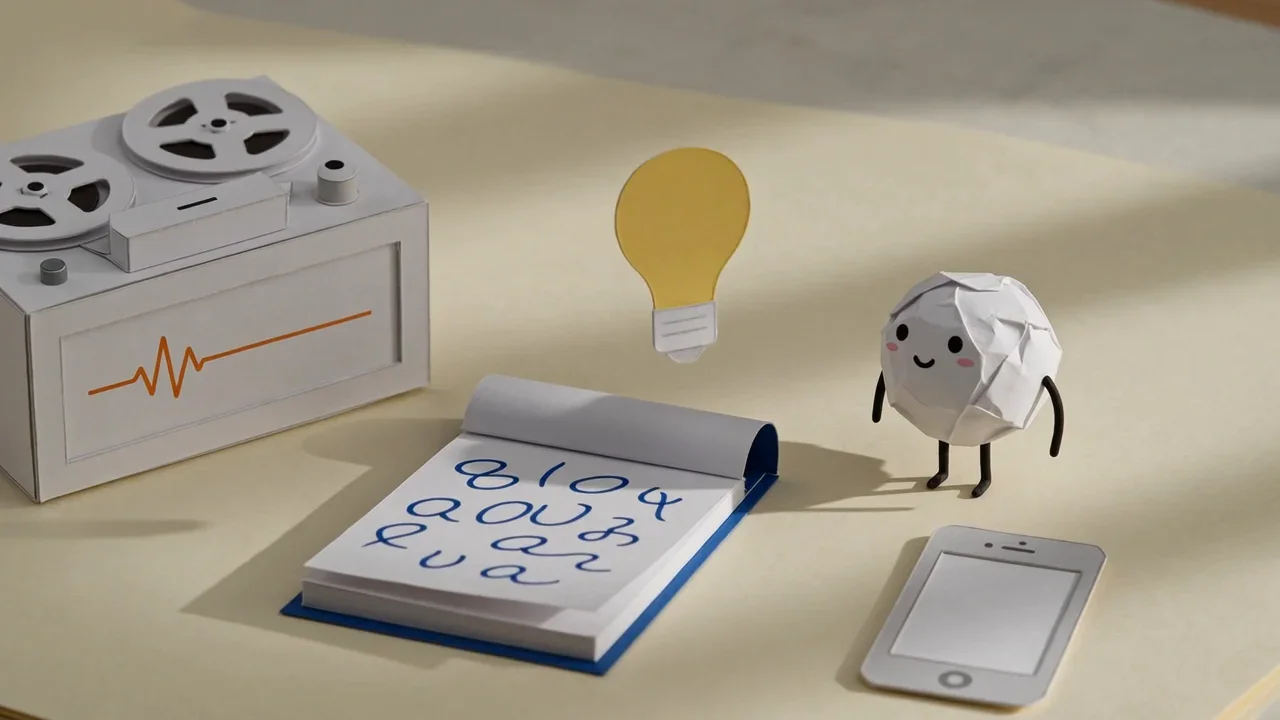
THE SHORT VERSION
What to take away
- Voice Memos is built into iPhone, handles long recordings, transcribes in 10 languages on iPhone 12 or later, and can sync via iCloud.
- Notes records audio inside a note and can add the transcript to the note as editable text; deleting the recording deletes its transcript.
- Spitball saves each thought, up to 5 minutes, with an English transcript and the original audio, stored on your iPhone by default.
- Spitball adds photos, places and Action button capture, but it is iPhone only and English only, in a free TestFlight beta.
- Many people combine them: Spitball for quick thoughts, Voice Memos for long recordings, and Notes for meetings with typed notes.
WATCH THE IDEA
Voice Memos, Notes or Spitball? Three ways to catch an idea
A short illustrated comparison: Voice Memos for plain and long recordings, Notes for audio inside a written note, and Spitball, our app, for short thoughts saved with a transcript and optional photo or place, stored on your iPhone by default.
Read the video transcript
This video has no narration. Three paper objects sit on a desk: a tape recorder, a notepad and Pip beside an iPhone. Three paper cards line up with matching rows of symbols, Pip rolls from a meeting table along a path to a bed at night, and a paper lightbulb is caught in turn by the recorder, the notepad and Pip. Captions: Three ways to catch an idea on iPhone. Voice Memos: plain recordings, from quick notes to long sessions. Notes: audio inside a written note, with a live transcript. Spitball, our app: short thoughts with a transcript, a photo or a place. Pick the one that fits the moment. Many people use more than one.
For quick idea capture on iPhone, use Voice Memos for plain or long recordings, Notes when the audio belongs inside a written note, and Spitball for short spoken thoughts saved with a transcript, the original audio and optional context. All three can turn speech into text on supported iPhones.
Spitball is our app, so this comparison sticks to facts you can check: Apple's own support pages for Voice Memos and Notes, and Spitball's published support and privacy pages. We've listed what Spitball doesn't do as clearly as what it does. Spitball is currently a free TestFlight beta for iPhone.
What's the short answer?
No single app is best at everything. Each one is built around a different job:
- Apple Voice Memos is a general-purpose recorder. It's built in, handles long recordings, transcribes on iPhone 12 or later in 10 languages, and can sync to your iPad and Mac through iCloud.
- Apple Notes records audio inside a note. The recording sits next to your typed text, and you can add its transcript to the note as editable text.
- Spitball saves each short thought, up to 5 minutes, as its own item with an English transcript and the original audio. You can add a photo or a place, start capture with the Action button on supported iPhones, and keep everything on your iPhone by default.
If you only want to record something and play it back later, Voice Memos is already on your phone and does the job. If your ideas start as a messy mix of speech and text, Notes keeps them together. If you capture lots of small ideas on the go and want to find them again by what you said, Spitball is designed for that.
The rest of this guide explains each app in the same order, then gives a choice by situation. For step-by-step recording instructions for every method, see our pillar guide to voice notes on iPhone.
How did we compare Voice Memos, Notes and Spitball?
We compared the three apps on the same six points, in the same order for each app:
- Where it stores audio: on your iPhone, in iCloud, or elsewhere.
- Transcription: devices, languages and what happens when it fails.
- Search: whether you can find a recording by what you said.
- Sharing: how you get a recording or text out.
- Requirements: iPhone model, iOS version, account and cost.
- Limits: anything that rules the app out for some jobs.
Apple facts come from Apple's iPhone User Guide for iOS 27, and Spitball facts come from Spitball's support, privacy and download pages. All sources were checked on October 20, 2026. This isn't a hands-on lab test: there's no "tested on" device line here, and we haven't included screenshots. When Apple's documentation doesn't say something, we say so rather than guess.
What are Apple Voice Memos' strengths and limits?
Voice Memos is Apple's recording app. Apple describes it as a way to use iPhone as "a portable recording device to record personal notes, classroom lectures, musical ideas, and more" (Apple: Make a recording).
- Where it stores audio: on your iPhone. If you turn on Voice Memos in iCloud (Settings > [your name] > iCloud > See All), Apple says recordings stay up to date on your iPhone, iPad and Mac where you're signed in to the same Apple Account (Apple: Keep recordings up to date).
- Transcription: on iPhone 12 or later in English (all variants), Spanish, Portuguese, Italian, French, German, Japanese, Korean, Simplified Chinese and Traditional Chinese, though "not available in all countries or regions." You can watch the transcript live or view and copy it afterward (Apple: View a transcription).
- Search: searching in Voice Memos finds text in titles and transcripts, and selecting a word moves the playhead to that point in the audio.
- Sharing: Apple's Voice Memos guide covers sharing a recording and exporting it to the Files app. You can also copy a transcript and paste it anywhere.
- Requirements: it's built in and free. Transcription needs an iPhone 12 or later.
- Limits for idea capture: every recording is audio-first. Apple's Voice Memos guide doesn't describe attaching a photo or note text to a recording. Apple names recordings "New Recording" or after your location if Location Services is on, so rename the ones you want to find.
Best for: longer recordings, music ideas, rehearsals, lectures, and anything you want on a Mac or iPad too. For music, see how to record song ideas on iPhone.
What are Apple Notes audio recordings' strengths and limits?
Notes can record audio directly inside a note. You tap the Attachment button, choose Record Audio, and the recording becomes part of that note (Apple: Record and transcribe audio in Notes).
- Where it stores audio: inside the note. Because it's an attachment, the recording is stored and synced with that note.
- Transcription: on iPhone 12 and later when the device language is set to one of the same 10 languages. You can view a live transcript while recording, tap text to play from that point, and choose Add Transcript to Note to turn it into editable note text. On an iPhone 15 Pro, iPhone 15 Pro Max or iPhone 16 model or later, Apple Intelligence can summarize a recording.
- Search: Find in Transcript searches inside a recording's transcript. Anything you add to the note becomes searchable note text.
- Sharing: copy the transcript, or share the note itself.
- Requirements: built in and free. Apple added recording and transcription in Notes in iOS 18 (Apple: Use Notes on your iPhone).
- Limits for idea capture: you have to open or create a note first, which adds a step when an idea arrives. Apple also warns that "deleting the audio recording also deletes the transcript."
Best for: meetings, classes and projects where the recording belongs next to written notes, checklists or images.
What are Spitball's strengths and limits?
Spitball is an iPhone app from Long Wknd LLC for capturing and organizing thoughts. You record a voice note or type a thought, save it, and come back to the transcript and original audio later.
- Where it stores audio: stored on your iPhone by default. Spitball's privacy policy says "We do not upload your thought library to a Spitball server." Optional iCloud Sync uses your own Apple Account.
- Transcription: English only, using Apple's on-device speech capabilities. The first transcription may need to download Apple's speech model, and support varies by device. There's no cloud transcription fallback: if on-device transcription isn't available, Spitball keeps the recording, and you can retry later.
- Search: search for a word you remember across your thoughts.
- Sharing: share a thought as text, an image or a file, optionally including the recording. Recipients don't need Spitball to read text or open standard exported files.
- Requirements: an iPhone with iOS 17 or later. No Spitball account is needed. Spitball is free right now and is currently in beta through Apple's TestFlight, so beta places are limited and builds can expire.
- Limits: each thought can be at most 5 minutes; transcription is English only; it's iPhone only, with no iPad or Apple Watch app, and a Mac app is coming soon. Capture happens in the app or with the Action button. Spitball doesn't offer Lock Screen, widget, Siri or Control Center capture.
Extras: add a photo from the camera or your library, or a place, to give a thought context. On iPhones with an Action button, set it to Spitball's capture shortcut, then press and hold to start recording and press and hold again to finish and save (Spitball Support). Our guide to saving a thought with the Action button covers setup step by step.
Best for: lots of short ideas captured on the move that you want to read, search and hear again later.
How do Voice Memos, Notes and Spitball compare side by side?
Here's the same comparison in one place, as one list per app.
Voice Memos
- Stores audio: on iPhone; optional iCloud sync to iPad and Mac
- Transcription: iPhone 12 or later, 10 languages, not all regions
- Search: titles and transcripts
- Sharing: share or export recordings; copy transcript
- Requirements: built in, free
- Recording length: suited to long recordings
Notes
- Stores audio: inside the note, synced with that note
- Transcription: iPhone 12 or later, device language set to one of 10 languages
- Search: Find in Transcript, plus note text
- Sharing: copy transcript or share the note
- Requirements: built in, free; recording added in iOS 18
- Recording length: suited to meetings and classes
Spitball
- Stores audio: on iPhone by default; optional iCloud Sync with your Apple Account
- Transcription: on-device, English only, no cloud transcription fallback
- Search: search thoughts for a word you remember
- Sharing: text, image or file, optionally with the recording
- Requirements: iPhone with iOS 17 or later; free right now in TestFlight beta; no account
- Recording length: up to 5 minutes per thought
Which should you choose for your situation?
Think about where you are when ideas arrive and what you'll do with them afterward.

- In a meeting or class: use Notes if you're also typing, so the recording and your notes stay together. Use Voice Memos if you only need the recording. Spitball's 5-minute limit makes it a poor fit for full meetings.
- Walking, driving as a passenger or cooking: a short thought matters more than a long recording. Spitball suits this well, especially with the Action button, and Voice Memos works too.
- Lying awake with an idea: any of the three works. Spitball saves the thought as one item you can find later by a word you said, while Voice Memos gives you a recording you'll want to rename.
- Making music: Voice Memos is built for longer musical ideas and is available on your Mac and iPad with iCloud.
- Wanting context: if a photo or place helps you remember why an idea mattered, Spitball lets you attach one to the thought.
- Using an iPad or Mac: choose Voice Memos or Notes for now. Spitball is iPhone only today.
- Not speaking English: choose Voice Memos or Notes, which transcribe 10 languages. Spitball transcribes English only.
Choose Voice Memos if…
Choose Voice Memos if you record long sessions such as lectures, rehearsals or interviews; if you want your recordings on your iPad and Mac through iCloud; if you need transcription in a language other than English; or if you simply don't want another app. It's free, built in, and its search covers what you said as well as the title. For most people who record occasionally, Voice Memos is enough, and our guide to transcribing voice memos shows how to get the most from its transcripts.
Choose Notes if…
Choose Notes if your recordings belong to a page of typed notes, a checklist or a project, and you want one place for all of it. Adding the transcript to the note makes the text editable. On supported iPhones with Apple Intelligence, Notes can summarize a recording, which helps with long meetings. Remember that deleting the recording deletes its transcript, so add the text to the note first.
Choose Spitball if…
Choose Spitball if you capture lots of short ideas, up to 5 minutes each, and want each one saved as its own thought with an English transcript and the original audio. It suits you if you'd like to start capture with the Action button, add a photo or place, and keep your library on your iPhone by default without a Spitball account. Because it's a TestFlight beta, expect changes, and export anything important; Spitball says it doesn't hold a server copy it can restore. See how to back up voice notes and move them to a new iPhone.
Can you use Voice Memos, Notes and Spitball together?
Yes, and many people do. A simple split: use Spitball for quick thoughts, Voice Memos for anything long, and Notes for meetings where you're typing too. When a Spitball thought grows into a project, share it as text into a note. When a Voice Memos recording is a single idea, copy its transcript wherever you keep your ideas.
The habit matters more than the app. Whichever you use, give each recording a name you'll search for later. Our post on making a voice note you can find later covers that, and where Spitball stores your voice notes explains storage in more detail. Looking beyond Apple's apps? See our guide to Voice Memos alternatives for iPhone. Comparing AI apps? See AudioPen vs Whisper Memos vs Spitball.
About the author
This guide was written by Nik Sharma, the developer of Spitball. Spitball is published by Long Wknd LLC. Nik founded and later sold Sharma Brands, hosts the Limited Supply podcast, and writes a Sunday newsletter at nik.co. You can find him on X (@mrsharma), LinkedIn and Instagram (@sharma).
Questions about Spitball? Start with Support, read the privacy policy, or DM Nik at @sharma on Instagram. Sources for this comparison: Apple's iPhone User Guide for iOS 27 (Voice Memos and Notes pages), Apple's Notes overview, and Spitball's support, privacy and download pages, all checked October 20, 2026.
Ready to try it? Get the Spitball beta. Spitball is currently in beta through Apple's TestFlight. It's free right now, you'll need an iPhone with iOS 17 or later, and beta places are limited.
A FEW MORE ANSWERS
Good questions.
Is Voice Memos or Notes better for transcription?
Both transcribe on iPhone 12 or later in the same 10 languages. Voice Memos lets you search titles and transcripts across recordings. Notes lets you add the transcript to the note as editable text and, on supported iPhones with Apple Intelligence, summarize a recording.
Which app keeps recordings only on my iPhone?
Voice Memos keeps recordings on your iPhone unless you turn on Voice Memos in iCloud. Spitball stores thoughts on your iPhone by default, with optional iCloud Sync using your Apple Account. A Notes recording is stored and synced with the note it's in.
Do I need an account to use these apps?
Voice Memos and Notes are built into iPhone and work with your Apple Account for iCloud features. Spitball doesn't require a Spitball account; its optional iCloud Sync uses your own Apple Account.
Does Spitball work on iPad or Mac?
Not yet. Spitball is iPhone only today, with a Mac app coming soon. If you need your recordings on an iPad or Mac now, Voice Memos with iCloud turned on keeps recordings up to date across devices signed in to the same Apple Account.
How long can a recording be in each app?
Apple's guides don't state a length limit for Voice Memos or Notes recordings, and Voice Memos suits long sessions like lectures. Each Spitball thought can be up to 5 minutes, which is designed for quick ideas rather than meetings.
Can I record audio in Notes without opening a note first?
No. Apple's steps start in a note: open or create a note, tap the Attachment button, then Record Audio. For a one-step recording, use Voice Memos or the Action button. Checked against Apple's iPhone User Guide for iOS 27, Oct 20, 2026.
Is Spitball free, and what do I need to use it?
Spitball is free right now. It's an iPhone app in beta through Apple's TestFlight: install the free TestFlight app, open the Spitball invitation from getspitball.com/download on your iPhone, tap Accept, then Install. You need iOS 17 or later. Beta places are limited and builds can expire.
Who makes Spitball?
Spitball is developed by Nik Sharma and published by Long Wknd LLC. Nik founded and later sold Sharma Brands and hosts the Limited Supply podcast. Questions about the app can go to Spitball Support or to @sharma on Instagram.